Schedule Pro is a custom visual for Microsoft Power BI for project schedule data. It provides a Gantt chart, an S-Curve with a period histogram, and a progress table, and reads Primavera P6 XER files directly - no data modeling required.
Primavera P6 schedules, native in Power BI - Gantt, S-Curve, Earned-Value, DCMA 14 and Monte Carlo risk in one visual.
Get the Visual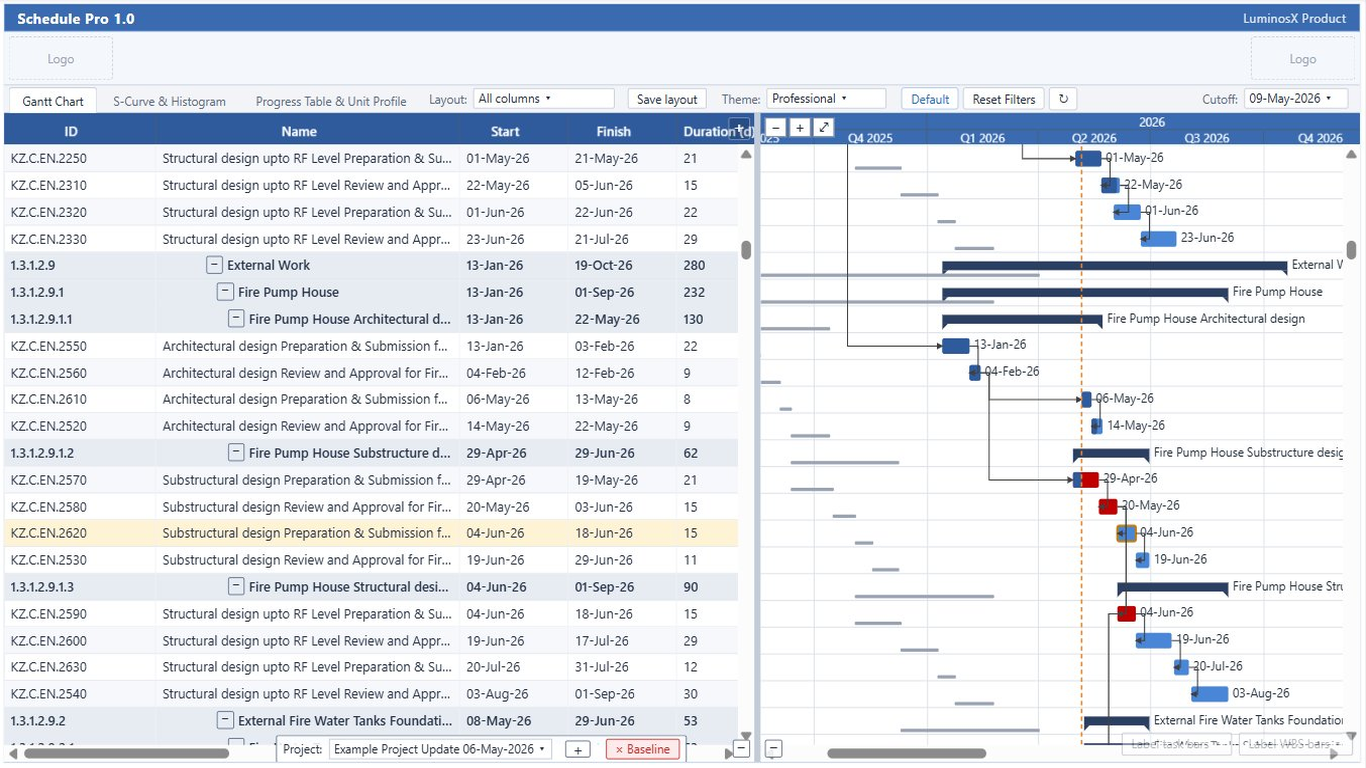
WBS grid, baseline & milestone bars, dependency logic, critical path.
Explore →Baseline / actual / forecast curves and period histograms, units or cost.
Explore →BAC, PV, EV, AC KPI tiles with SPI / CPI gauges and a persisted trend.
Explore →Roll-up by WBS tier with subtotals, variance icons and a unit/cost profile.
Explore →The 14-point schedule-quality scorecard, scored pass / fail.
Explore →Monte Carlo finish-date confidence (P50 / P80 / P90) and per-activity criticality.
Explore →Plain-language findings from EVM, DCMA and float - fully offline.
Explore →A new EVM cockpit - BAC / PV / EV / AC tiles, the EVM S-curve, SPI / CPI gauges with a persisted trend, and per-WBS, cost and milestone detail.
The DCMA 14-point schedule-quality scorecard, plus a deterministic Analysis tab that reads EVM, DCMA and float metrics into plain-language findings.
Schedule-only Monte Carlo simulation reporting finish-date confidence (P50 / P80 / P90) and per-activity criticality.
New Resources and Calendars tabs, and a Units / Cost basis toggle carried across the S-Curve, progress and dashboard views.
Draft notes - edit freely as releases ship.
Read resource and cost assignments from the XER and surface them in the histogram and progress table.
One-click export of the current Gantt or S-Curve view for reports and presentations.
Filter the schedule by activity code, status, or date window directly inside the visual.
Support for additional planning-tool exports beyond Primavera P6 XER.
Placeholder roadmap - replace with your committed plans.
"Finally a Power BI Gantt that reads our P6 files directly. We dropped a whole layer of data prep."
"The S-Curve and progress table next to the Gantt give our PMO everything on one page."
"Baseline comparison and critical-path highlighting work just like Primavera. Easy to roll out."
Placeholder reviews - swap in real AppSource quotes.
We're LuminosX - a small team building custom visuals for Microsoft Power BI. Schedule Pro grew out of our own work with Primavera P6 schedules, and we keep refining it based on how planners actually use it. We also take on custom visual work, so if you need something specific for your reports, or have a suggestion for Schedule Pro, we'd like to hear from you.
Personal Pro and Business Pro provide the same features; Business Pro has a lower per-user price and a 50-user minimum. Plans are managed through Microsoft Power BI licensing, and purchase and subscription are handled in Power BI and Microsoft AppSource.
| Feature | Free | Personal Pro Popular | Business Pro |
|---|---|---|---|
| Gantt chart | ✓ | ✓ | ✓ |
| Progress table | ✓ | ✓ | ✓ |
| S-Curve and histogram | — | ✓ | ✓ |
| Dashboard, DCMA 14, Resources, Risk & Analysis | — | ✓ | ✓ |
| Multiple projects | — | ✓ | ✓ |
| Themes and layouts | Default | All | All |
| Custom branding | — | ✓ | ✓ |
| Export and clipboard | — | ✓ | ✓ |
| Activity limit | 300 | Unlimited | Unlimited |
| Watermark | ✓ | — | — |
| Price (per user / month) | — | $9.90 | $6.60 |
| Price (per user / year) | — | $99.90 | $66.60 |
| Minimum users | — | 1 | 50 |
 Schedule Pro